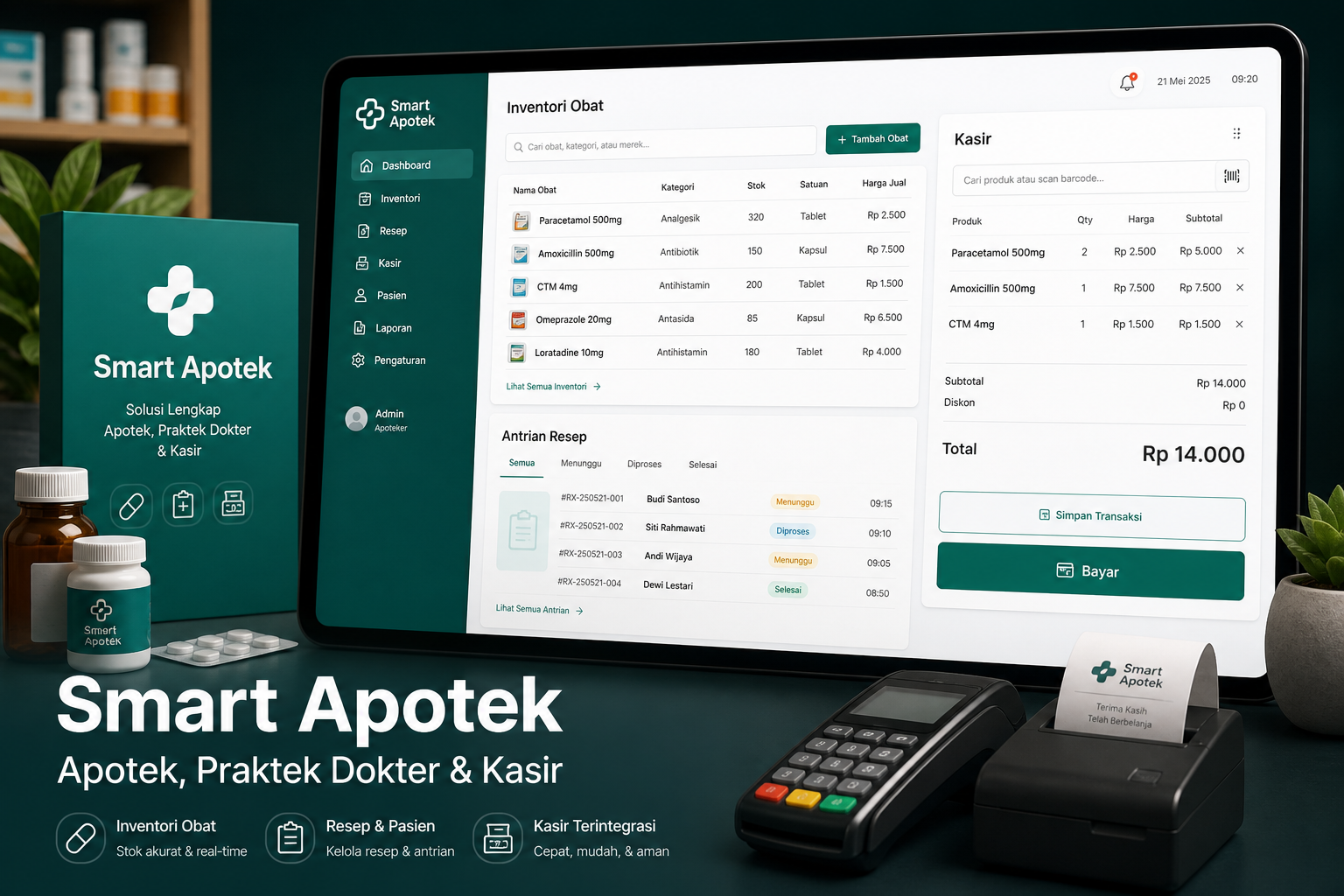
Inventory & drug batches
Drugs, units, suppliers, batches, expiry, and stock movements.
Sumber Solusi Optimal
Smart Apotek connects e-prescriptions, FEFO stock, queues, medical records, and POS — so drugs are not re-entered, stock never goes negative, and daily operations stay traceable.
Business value your team can feel once the product is in use.
Doctors write e-prescriptions, pharmacists verify, cashiers pull items directly.
Payment deducts the nearest-expiry batch in a single transaction.
Queues, medical records, and sales run in one flow.
Registration and queue-status checks without lining up at the counter first.
Modules and capabilities that support day-to-day operations.
Drugs, units, suppliers, batches, expiry, and stock movements.
Patients, schedules, queues, medical records, and e-prescriptions.
OTC drugs, pull prescriptions, consultation fees, and multi-method payments.
Alerts for low stock and near-expiry drugs.
Revenue, visits, prescriptions, and stock from daily to monthly.
Pharmacy profile, doctor schedules, online registration, and queue checks.
Real usage patterns in organizations facing similar challenges.
Unite pharmacy, consultations, and checkout in one operation.
Keep queues, records, and drug sales orderly.
Keyboard-first POS, barcodes, and expiry-batch control.
A clear path from first discussion to day-to-day operations.
Add profile, users, and access rights (admin, doctor, pharmacist, cashier).
Register drugs, batches, suppliers, and opening stock.
Register → examine → e-prescribe → verify → pay → print receipt.
Track revenue, stock, expiry, and visits every day.
Short answers before you schedule a consultation.
Pharmacies, doctor practices, and clinics that want inventory, prescriptions, queues, and POS in one system.
No. Verified prescriptions are pulled into the POS cart without re-entry.
Checkout deducts FEFO batches in one database transaction; if any step fails, everything rolls back.
Yes. Online registration and a queue-status page with a booking code are included.
Contact the SSO team for a demo of the pharmacy–doctor–cashier flow for your operation.
Tell us your prescription, stock, and checkout flow. We will help design a Smart Apotek rollout.